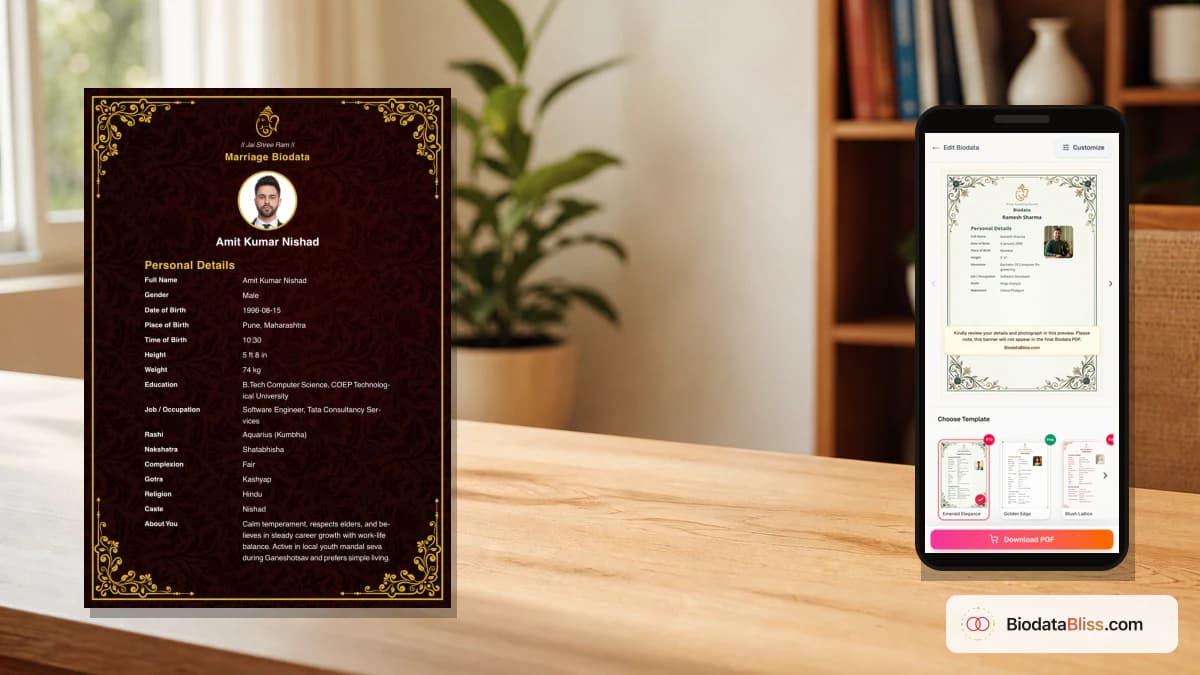
A government role is a strong stability signal, but only when your biodata explains it clearly. One clean service line earns trust; vague wording or over-detailed office data creates friction.
If you are a government employee, your marriage biodata is read with very specific expectations. Families usually want to understand four things quickly: your designation, department or organization, current posting, and service type (central/state/PSU/bank, etc.). At the same time, this is not a service record or employment file. You should not share employee IDs, confidential documents, or office-heavy details in a PDF that relatives may forward widely. This guide shows exactly how to write your government profile in a way that feels clear, modest, and trustworthy.
Why government profiles need extra clarity
In many families, a government job is associated with stability and long-term planning. But that trust only builds when the role is understandable.
A line like 'govt job' is too vague. Families should be able to tell where you work and what your current posting situation looks like without guessing.
- Mention employer type early (central, state, PSU, bank, etc.)
- Write department/organization in plain language
- Add current posting city on page one
- Use a simple title relatives can understand immediately
- Avoid internal abbreviations without explanation
What to include in occupation details (and what not to)
Your occupation block should be short, readable, and accurate. Think in a 'speakable sentence' format that parents can read aloud to elders.
Keep high-risk personal or office data out of the biodata. If needed, share sensitive documents only later in a direct family discussion.
- Include: designation, department/organization, posting city
- Optional: service type, pay level, joining year
- Do not include: employee ID, login IDs, internal file references
- Do not attach: appointment letters, payslips, ID cards
- Do not paste full office address unless family insists
A forwarded biodata can travel far beyond the first recipient. Keep confidential service details private.
How to write designation, department, and grade/pay level
Use the designation form your community recognizes, then pair it with department and city. Keep wording factual and neutral, never exaggerated.
If your family expects grade or pay level, include one familiar phrase only. Do not add long pay matrix explanations.
- Good format: Designation + Department + Posting city
- Example style: 'Assistant Section Officer, [Department], posted in [City]'
- Use 'Pay Level X' only when relevant in your circle
- Keep group/grade mention brief and readable
- Skip any line that sounds like an official circular
Posting and transfer information families actually need
Transfer-prone roles are common in government service. Families do not need your full transfer history; they need your present location and openness to discuss future movement.
One calm, honest line prevents misunderstanding better than overpromising a city transfer.
- Always mention current posting city
- Mention hometown if different and relevant for introductions
- If applicable, add one line on transfer nature
- Use language like 'open to discussing relocation after marriage'
- Never promise fixed future posting without certainty
If your role has all-India transfer liability, disclose it simply. Early honesty avoids later conflict.
Salary guidance for government employee biodata
Salary sharing depends on family norms. Some communities expect a pay-level mention; others prefer discussing income after initial compatibility.
If you include salary, keep it modest and high-level. A broad range or pay level is usually enough for first-stage sharing.
- Discuss salary line with parents before final PDF
- Prefer pay level or broad range over exact net salary
- Avoid listing allowances and deductions in detail
- Never attach salary documents in first forward
- Use one clean line, not multiple money fields
Common mistakes in government biodatas
Most mistakes are either too little information or too much office detail. The best biodata sits in the middle: clear, respectful, and concise.
- Writing only 'Government Officer' without department
- Using unexplained acronyms that confuse non-service families
- Sharing employee ID and office data publicly
- Overstating rank or title for impression
- Hiding transfer reality in mobile cadres
- Adding harsh partner wording tied to posting expectations
Format tips by profile type
Different service tracks use different familiar language. Match your wording to what relatives in your community already understand.
- Central service: ministry/department + designation + city
- State service: Govt of [State] + department + district/city
- PSU: organization name + role + city
- Bank: bank name + role + branch/city
- Teaching/health: subject/specialization + institution type + posting
Step-by-step: build your government biodata on BiodataBliss
You can create a clean one-page profile quickly without design software. The key is writing service details in plain language first, then selecting layout.
- 1. Open biodatabliss.com and start Create Biodata
- 2. Fill personal and education details accurately
- 3. Add designation + department + posting in occupation section
- 4. Include service type and optional pay-level line if needed
- 5. Complete family and contact blocks
- 6. Upload a recent solo portrait
- 7. Preview in both traditional and clean layouts
- 8. Download PDF and share final file
Switching templates does not remove your entered details, so compare styles before finalizing.
Pre-share checklist before families forward your PDF
Before sharing widely, ask a parent to read your service block aloud. If they stumble, simplify wording.
- Designation line is clear and truthful
- Department name is expanded and readable
- Posting city appears on page one
- No IDs or confidential documents included
- Salary line follows family preference
- Photo and contact details are current
Final tip
A strong government employee biodata answers three practical questions fast: what you do, where you are posted, and how families can contact you. Keep service details accurate, keep confidential data offline, and let clarity do the work.
Start on Create Biodata, then compare designs on Templates before checkout.
Ready to build your government-service biodata? Fill designation and posting in the guided form, preview free on mobile, and download your PDF.
Create Biodatahttps://biodatabliss.com/create-biodata (opens in a new tab)